
Find your issue
The alarm is silent
- Check the time and switch
In the alarm list, check the scheduled time, that the switch is on, and the date if you set one. - Check the sound
Open the alarm settings. Make sure a sound source is enabled and that its sound is audible. - Check volume and audio output
Check playback volume and whether headphones or Bluetooth speakers are connected. For notification sounds, check iOS notification settings and volume. - Reopen the app
Open the app before bed if you force quit it, restarted your iPhone, or installed an iOS update. - Check Screen Time
Check whether an app limit applies. Add Sleep Music Alarm to Always Allowed if needed.
Check playback volume
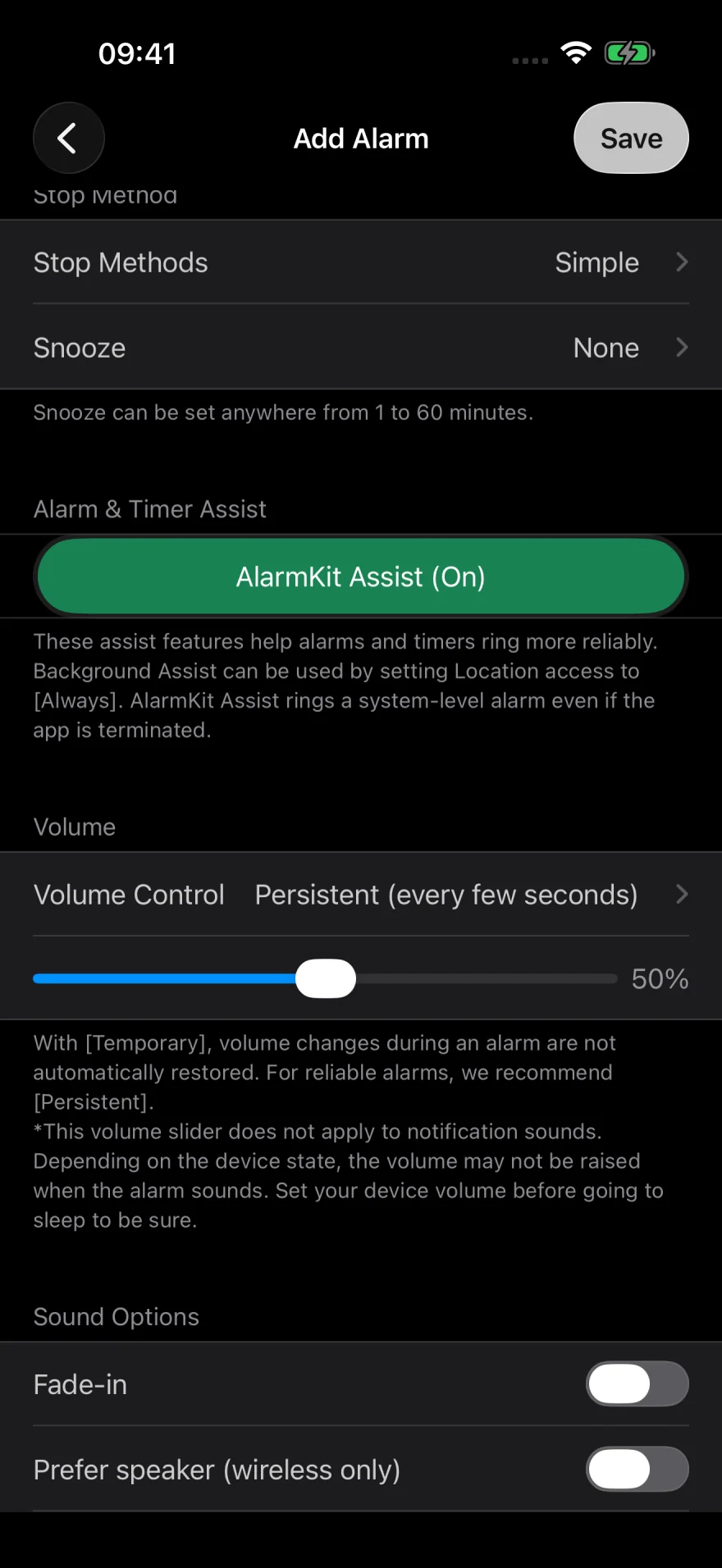
Check Volume Control in the alarm settings and your iPhone volume. The in-app slider controls playback. For notification sounds, check the iPhone’s notification volume.
After saving, use Test in 1 Minute to check the volume and stop method.
A different sound plays
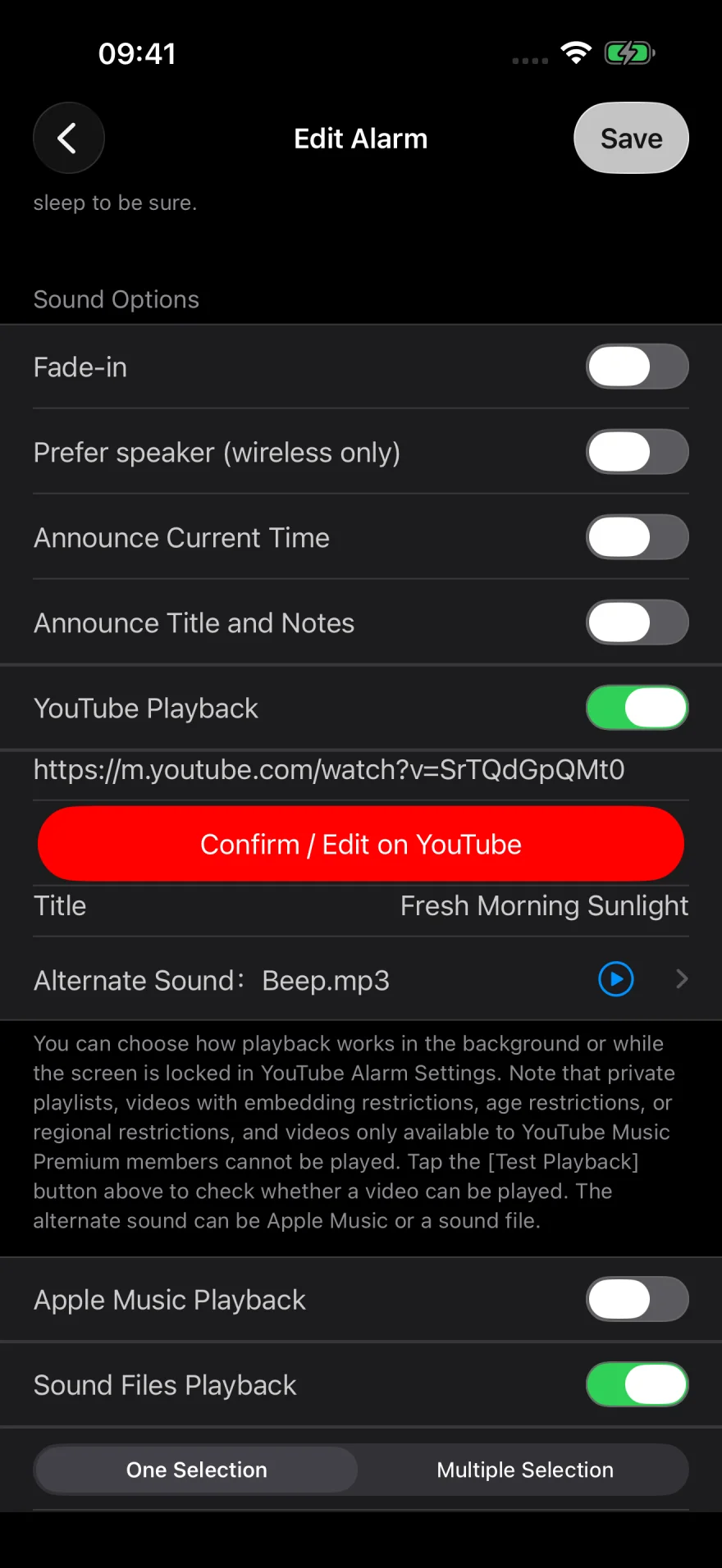
If a selected source cannot play, the app can switch to another. It tries YouTube first, then Apple Music, then sound files.
For YouTube, check that the video is available and that you have a connection. For Apple Music, check access and whether the song is downloaded. Test under the conditions you normally use.
See the YouTube guide and Apple Music checks.
A second alarm rings
Alarm-time or backup notifications can sound alongside music when enabled. If you only want the music to play, check whether those notifications are enabled.
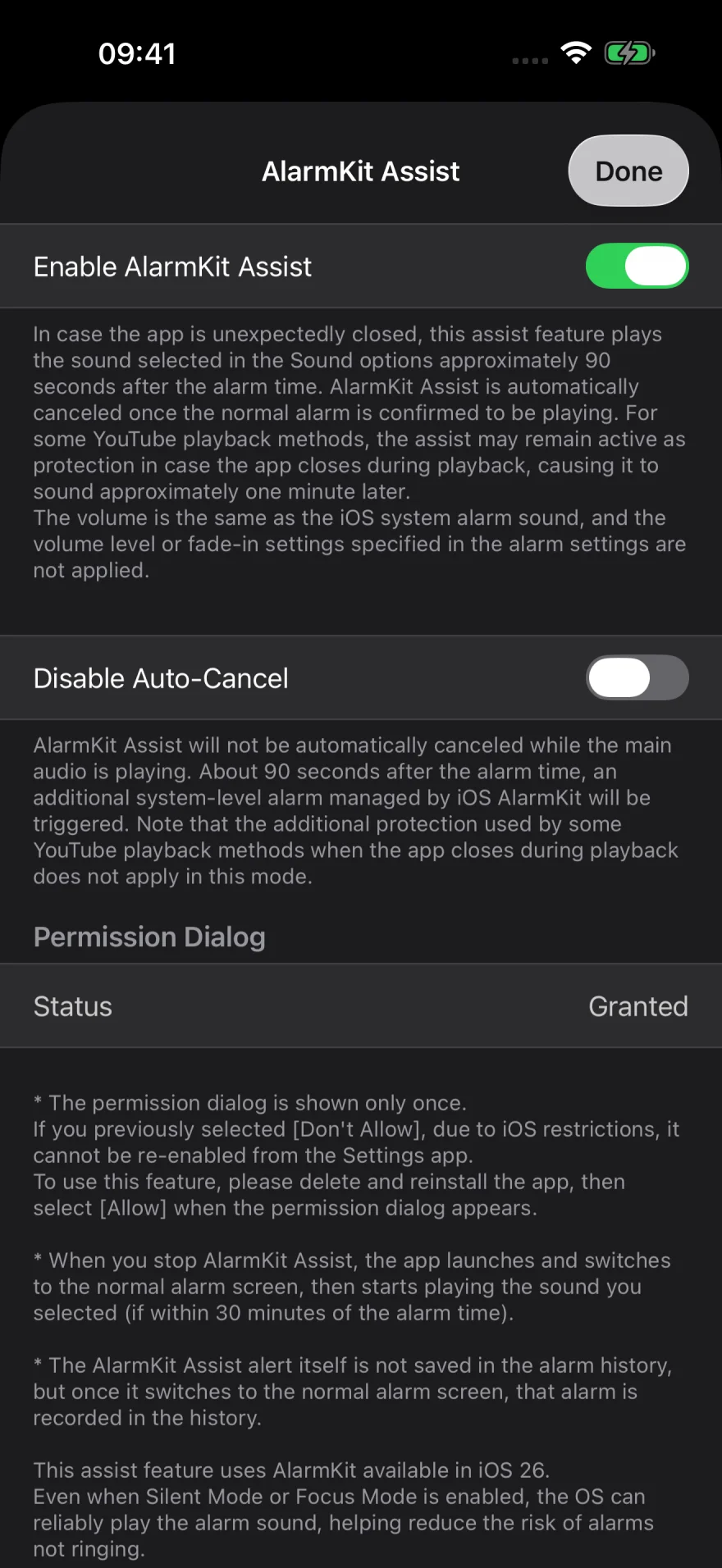
On iOS 26 or later, AlarmKit Assist can play a backup system alarm about 90 seconds after the scheduled time if the app closed unexpectedly. With Disable Auto-Cancel on, the backup can ring even if your main sound plays. It can also ring if you close the app before stopping the alarm.
Daytime battery drain
A weekly alarm can keep the app active during the day so it is ready for the next alarm. This can increase battery use.
Turn off alarms you do not need during the day. You can also leave weekdays unselected and turn on the next morning’s alarm before bed.
See About Battery Use in the app. Sleep tracking and music playback can also affect battery use.
After closing the app or restarting iPhone
If you use YouTube, Apple Music, or sound files, leave the app running. Swiping it away in the app switcher force quits it. Reopen the app after a restart or iOS update, then check the alarm time and switch before bed.
Test the alarm as you plan to use it
Run a short test to check the sound and stop method. If you plan to lock your iPhone, lock it for the test too. Afterward, check that the alarm list shows the time you normally use.
If you need help, note the time, sound source, and whether the app was open and the screen was locked when the alarm was due.
Still need help? Contact us with a description of the issue and your iOS and app versions.